This blog will walk you through the configuration of CICS in IIB i.e invoking a CICS service from IIB.
What is CICS :
CICS stand for Customer Information Control System designed to support rapid and high-volume online transaction processing for z/OS® operating system. It has the capacity to process billions of transactions every day.
So, in layman terms CICS is an appliation server running on IBM mainframes which is basically used to host applications.
How is CICS different from other application servers: Most of the application servers we have today support single language which is mostly Java(i.e they support applications that are written in Java or any other language but only one/single language). On the other hand CICS support mixed-language i.e we can host applications written in different languages like COBOL, PL/I, C, PHP, Assembly and others which are still used by most of the Enterprise business applications.
Who uses CICS?
Without knowing it, you’ve probably interacted with CICS already today. Perhaps you checked your bank balance or bought a bagel for breakfast? CICS is used by enterprises to provide the services that the world depends on, but you may have never even heard of it before. CICS is enormously used in Banking, Transport, Retail and Insurance domains.
CICS is used to host applications which deal with mission critical data, which cannot afford downtime even for seconds. Like stock-trading and credit card applications which receive requests in high volumes.
Please refer to the Link to learn in-depth capabilities of CICS
To support interaction to-from CICS server we have CICSRequest Node in IIB. Use this node to interact with CICS server from IIB.
The CICSRequest node is available under the CICS drawer in palette.
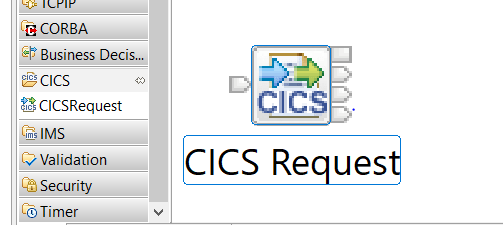
There must we a CICS application running on the CICS server to invoke it.
Configuration of CICS server:
Firstly you would need the server name on which your application name is running which is configured as CICS Server and a Program name which points to the specific application you want to invoke on that particular CICS server which is referred as Program name.
CICS supports two data structures known as commarea and channel. With Commarea you would be able to send a message a specified length to CICS server and the maximum length of the message is 32767 bytes.
So if you select your data structure as Commarea you need to specify the length which that particular CICS program was configured to accept.(how much length a program accepts is configured at CICS server we just need to get that value from CICS team and configure it)
Below is the CICS configuration with Commarea data structure: Values needed are CICS server, program name, Data structure, Commarea lenght,Mirror transaction ID. All the values are given the CICS mainframe team.


Build a request either using DFDL or MRM as they support fixed length messages. Build request as per the message structure given using either of the domains.
If you have a requirement where you need to send more that 32767 bytes of data in single transaction then use channel as data structure(This has to be configured on CICS server deciding which data structure the application has to be used). So if an program/application is configured to transact using channel data structure we need to select channel. CICS channels hold a number of structures called Containers. In IBM Integration Bus, a CICS channel is represented as a message collection structure. A message collection can hold child messages, each treated as a container by the CICSRequest node. In Channel request is holded in one container and the response is holded in another container. We need to give the
Below is the configuration for channel data structure: values needed are CICS server, program name, Data structure, Mirror Transaction ID


Build a message for channels as shown in the below structure.

The below steps are common for both channel and Commarea.
Before deployment create a CICS configurable service by specifying properties CICS
| key | Value |
| cicsServer | tcp://saidev:7852 |
| clientApplid | IIBSAI |
| clientQualifier | SAI |
| connectionTimeoutSecs | 120 |
| requestTimeoutSecs | 120 |
| gatewayURL | local: |
| securityIdentity | devsec |
Define the security identity using mainframe credentials
mqsisetdbparms <BrokerName> -n cics::devsec -u <username> -p <password>
Deploy your service and test it.
 Integration Consultant
Nice post
LikeLike
Thank you Richard.
LikeLike